
Passkeys Explained: Are Passwords Finally Being Replaced?
Passwords have been part of digital life for so long that they can feel permanent. Every account needs one, every service has its own rules, and every security warning seems to return to the same advice: choose something strong, do not reuse it, store it safely and turn on extra protection where possible.
The problem is that passwords were never a very good fit for the modern internet. People have too many accounts, attackers have too many automated tools, and even careful users can be tricked by convincing phishing pages. A password can be guessed, stolen, reused, leaked, copied, intercepted or typed into the wrong website. Once it is exposed, it can often be used from anywhere.
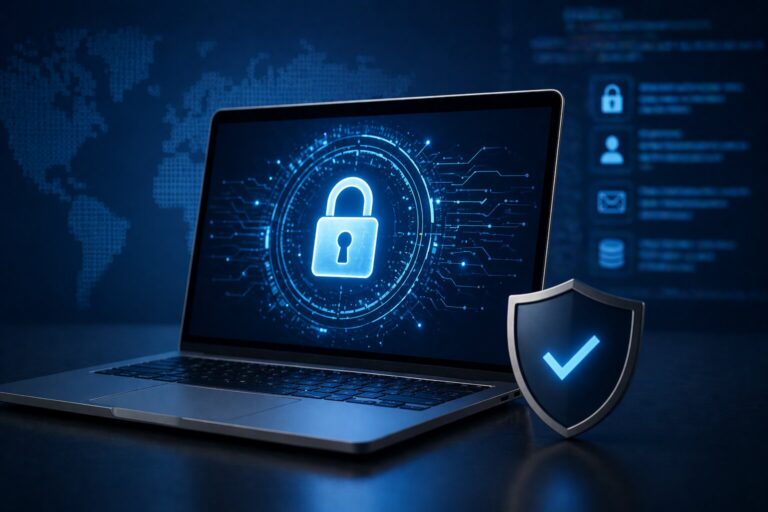
Passkeys are designed to solve that problem by changing the login model entirely. Instead of asking users to remember and type a secret, a passkey uses cryptographic keys stored on a device or in a password manager. The user signs in by unlocking their phone, laptop or security key with a fingerprint, face scan, PIN or other local method. The website never receives a reusable password.
This is not just a niche security idea. The FIDO Alliance describes passkeys as FIDO credentials that replace passwords with cryptographic key pairs for phishing-resistant sign-in. The UK’s National Cyber Security Centre now recommends that users choose passkeys over passwords wherever they are available, while Google has reported more than one billion passkey authentications across over 400 million Google Accounts.
The result is one of the most significant changes to everyday account security in years. Passkeys are not perfect, and they will not make every online account instantly safe. But they do mark a serious attempt to move beyond the weakest part of digital security: expecting human beings to create, remember and protect dozens of secrets.
What is a passkey?
A passkey is a passwordless way to sign in to an app, website or online account. Instead of entering a password, the user approves the login using a trusted device or authenticator. That approval might happen through Face ID, Touch ID, Windows Hello, an Android screen lock, a hardware security key or a password manager that supports passkeys.
The important part is what happens behind the scenes. A passkey is based on public-key cryptography. When a passkey is created, two related keys are generated. One is public and can be stored by the website or service. The other is private and stays with the user’s device or authenticator. During login, the service sends a challenge, the private key signs it, and the service verifies that signature using the public key.
That sounds technical, but the user experience is usually simple. Instead of typing a password, the user confirms that it is really them by unlocking their device. The private key is not typed, shared or sent to the website. This is why passkeys are so different from passwords. There is no reusable secret for a phishing site to capture.
FIDO’s explanation is useful because it makes clear that passkeys can be synced across a user’s devices or bound to a specific device, depending on how they are implemented. Synced passkeys are designed for convenience across phones, laptops and tablets. Device-bound passkeys are more tightly tied to one physical authenticator and may be preferred in higher-security environments.
Why passwords became such a problem
Passwords are not failing because users are lazy. They are failing because the system asks too much of them.
A strong password should be long, unique and hard to guess. It should not be reused across sites. It should not contain personal information. It should not be stored insecurely. It should not be shared. It should not be entered into a fake login page. Multiply that by dozens or hundreds of accounts and the problem becomes obvious.
Password managers helped by making it easier to generate and store unique passwords. Two-factor authentication helped by adding another step after the password. But neither approach removed the password from the centre of the system. A stolen password could still create risk, especially if the second factor was weak, missing or vulnerable to social engineering.
Phishing made the problem worse. Attackers no longer need to break cryptography if they can convince someone to enter their credentials into a fake website. Some phishing kits can also attempt to capture one-time codes in real time. That means even careful users can be exposed if a malicious page looks convincing enough.
Passkeys change this because they are linked to the legitimate website or app. A passkey created for one service should not work on a different phishing domain. The NCSC highlights phishing resistance as a key reason passkeys are more secure, noting that they cannot be intercepted, reused or stolen like passwords.
How signing in with a passkey feels
For most users, a passkey login feels similar to unlocking a device.
A website or app asks the user to sign in. Instead of entering a password, the user chooses the passkey option. Their phone, laptop or password manager prompts them to authenticate locally. The user confirms with a fingerprint, face scan, PIN or screen lock. The service then signs them in.
This matters because security tools only work well when people actually use them. Many older security measures made users safer but also made login slower or more confusing. Passkeys aim to improve security and usability at the same time. Google says passkeys allow users to sign in with a biometric sensor, PIN or pattern, removing the need to remember and manage passwords.
The speed and simplicity are part of the appeal. A user does not have to invent a password, save it, type it again later, reset it when forgotten or copy a code from another app. In the best version of the experience, the login becomes almost invisible.
That is also why the transition has to be handled carefully. If users do not understand where their passkeys are stored, how to recover access or what happens when they change devices, they may be nervous about relying on them. The technology can be simpler at the point of login while still requiring clear account recovery options.
Are passkeys safer than two-factor authentication?
Passkeys are often described as an alternative to passwords and two-factor authentication, but the comparison needs care.
Traditional two-factor authentication usually combines something you know, such as a password, with something you have, such as a phone or security key. This is better than a password alone, but it still leaves the password in place. If the password is stolen, the account depends on the strength of the second factor.
Some second factors are stronger than others. A hardware security key is highly resistant to phishing. An authenticator app is generally stronger than SMS. SMS codes are convenient but can be vulnerable to SIM swap fraud, interception and social engineering. Email-based codes can also be risky if the email account itself is compromised.
A passkey removes the typed password and replaces it with cryptographic proof from the user’s authenticator. In many consumer settings, that can be both simpler and stronger. The NCSC’s current consumer advice is clear: use passkeys over passwords wherever they are available.
For organisations, the picture depends on the risk level. NIST’s SP 800-63B-4 digital identity guidance defines technical requirements for authenticator assurance levels and sits within a broader push toward stronger authentication and lifecycle management. In practice, organisations need to decide which types of passkeys, authenticators and recovery methods match the sensitivity of the systems being protected.
Why large technology companies are pushing passkeys
Passkeys are gaining momentum because the major platform companies support them. Apple, Google, Microsoft and others have all been involved in the move toward passwordless sign-in through FIDO standards. This matters because authentication only changes at scale when operating systems, browsers, websites and password managers all support the same basic approach.
Google made passkeys the default sign-in option for personal Google Accounts in 2023 and later reported more than one billion passkey authentications across more than 400 million accounts. Microsoft said in 2025 that brand new Microsoft accounts would be “passwordless by default”, with new users offered passwordless options rather than being required to create a password.
The FIDO Alliance also reported that by late 2024, more than 15 billion online accounts could use passkeys, more than double the figure from the previous year.
This does not mean passwords have disappeared. Many services still support them. Many users still rely on them. Some businesses are moving slowly because their systems are old, complex or tied to older identity-management processes. But the direction is clear. Passkeys are moving from experimental security feature to mainstream account option.
What happens if you lose your device?
The biggest practical question about passkeys is recovery. If a password lives in your head or password manager, you can type it from almost anywhere. If a passkey is stored on a device, what happens when that device is lost, broken or replaced?
The answer depends on how the passkey is stored. Many consumer passkeys are synced through services such as iCloud Keychain, Google Password Manager, Microsoft tools or third-party password managers. In that case, a user may be able to recover passkeys by signing into their account on a new device and completing the provider’s recovery process.
Other passkeys may be device-bound. These can offer stronger control in some situations, but they also require careful backup and recovery planning. A hardware security key, for example, can be an excellent authenticator, but losing the only registered key without backup options can create a serious access problem.
This is why passkeys do not eliminate the need for account recovery. They shift the problem. Instead of asking “How do I remember this password?”, users need to ask “Where is this passkey stored, how is it backed up, and how would I regain access?”
Good services should make that clear. They should let users register more than one passkey, review existing passkeys, remove old devices and understand recovery options. Poorly designed recovery can weaken even strong authentication, especially if attackers can bypass passkeys through insecure fallback methods.
The remaining problems with passkeys
Passkeys solve many password problems, but they introduce their own questions.
The first is user understanding. Many people still do not know what a passkey is, where it is stored or why it is different from a saved password. If the language around passkeys feels confusing, people may ignore the option or create one without understanding how to manage it.
The second is ecosystem lock-in. If a user’s passkeys are stored mainly inside one platform, moving between devices, operating systems or password managers can feel complicated. This has improved, but it remains an important usability issue.
The third is fallback security. If an account still allows password login, email recovery or SMS reset, attackers may target those weaker paths instead of the passkey itself. A passkey-protected account is only as strong as the whole recovery and support process around it.
The fourth is shared and managed accounts. Families, small businesses and teams often share access to tools in messy ways. Passkeys are designed for individual authentication, which is good for accountability but can require better account management.
The fifth is enterprise control. Organisations need visibility over which authenticators are registered, how they are revoked, what happens when employees leave, and how passkeys interact with single sign-on, mobile device management and compliance requirements.
None of these problems mean passkeys are a bad idea. They mean the transition has to be managed as a serious security change rather than a cosmetic login upgrade.
What users should do now
For ordinary users, the advice is becoming straightforward: enable passkeys on important accounts when the option is available, especially for email, banking, cloud storage, password managers, work accounts and major platform accounts.
That does not mean deleting every password immediately. A careful approach is better. Start with one or two important accounts. Check where the passkey is stored. Add a second trusted device or backup method where possible. Make sure account recovery information is up to date. Keep a strong, unique password where a password is still required. Continue using a password manager for accounts that do not yet support passkeys.
Users should also be careful about device security. A passkey is usually unlocked through the device’s own security method, so the device lock matters. Use a strong screen lock. Keep operating systems updated. Remove old devices from accounts. Be cautious with shared devices. Understand what happens before selling, recycling or resetting a phone or laptop.
Passkeys are designed to reduce phishing risk, but they do not remove the need for basic security awareness. Attackers may still try to trick users into changing recovery details, approving a login, contacting fake support or installing malicious software.
What businesses should consider
For businesses, passkeys should be part of a wider identity strategy. They are not just a feature to switch on without planning.
The first step is to identify where passwords create the greatest risk. Admin accounts, finance systems, developer tools, email, cloud dashboards and customer databases are obvious priorities. These are the accounts where a stolen password can become a serious incident.
The second step is to decide which type of authentication is appropriate. Some users may be well served by synced passkeys through managed devices. Others may need hardware security keys or stricter controls. High-risk roles may require stronger policies than general staff.
The third step is to update recovery and offboarding processes. A secure login method can be undermined by weak helpdesk procedures. Businesses need clear rules for registering passkeys, replacing lost devices, removing former employees and auditing access.
The fourth step is training. Employees should understand why passkeys are being introduced, how to use them and what to do if something goes wrong. A technically strong system can fail if users do not trust it or support teams cannot explain it.
The businesses that benefit most will treat passkeys as an opportunity to clean up identity management, not just as a way to make login screens look modern.
Are passwords finally going away?
Passwords are not going to vanish overnight. Too many systems still depend on them, and many services will keep password fallback options for years. Some users will adopt passkeys quickly; others will resist until they become the default.
But the direction of travel is different now. Passwordless authentication is no longer a distant prediction. It is built into major platforms, recommended by security authorities and increasingly available across consumer and business accounts.
The most likely future is not a sudden password extinction event. It is a gradual shrinking of the password’s role. Important accounts will move first. New users will increasingly be guided toward passkeys. Passwords will remain as fallback options for some services, then slowly become less central.
That shift is worth taking seriously. For decades, online security has depended on asking users to protect secrets that were easy to steal and hard to manage. Passkeys do not solve every security problem, but they do offer a better foundation. They make phishing harder, reduce password reuse, improve login convenience and move authentication away from human memory.
The password era is not over yet. But for the first time, its replacement looks practical enough for ordinary users to adopt.