Are Powerline Adapters Any Good?
Powerline adapters can be very good in the right home, but they are not a guaranteed fix for every networking problem. Their strength is simple: they can provide a wired-style connection between rooms without running Ethernet cable. Their weakness is just as important: performance depends heavily on the electrical wiring inside the property.
That makes powerline adapters one of the most situational home networking products. In one house, they may provide a stable connection for a games console, smart TV or home-office PC. In another, they may be slower and less reliable than WiFi.
The real answer is not whether powerline adapters are good in general. It is whether they are good for your specific home, wiring and use case.
What Powerline Adapters Are Best At
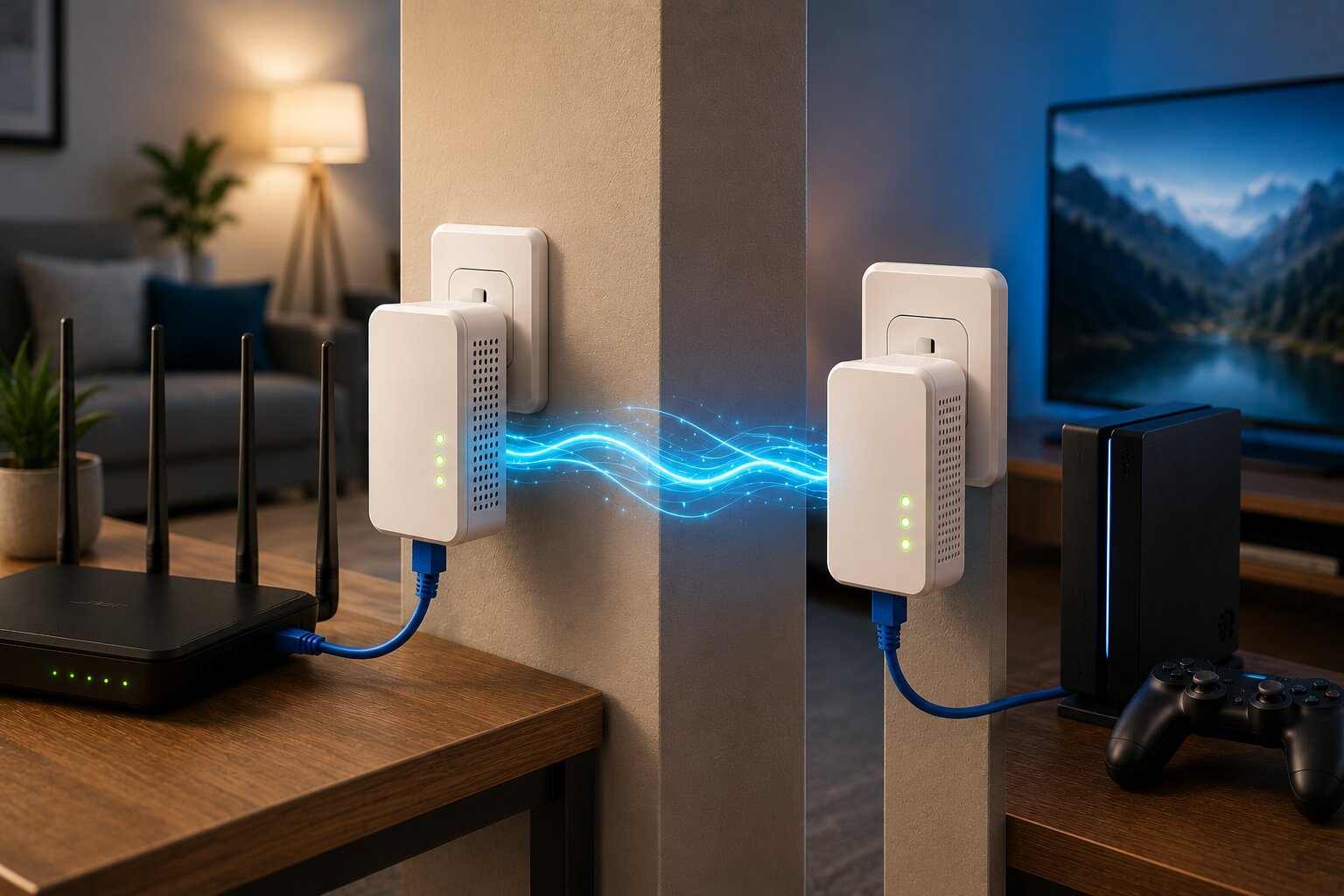
Powerline adapters are best suited to fixed devices. They work particularly well when you need to connect one device, or one room, more reliably than WiFi allows.
Good use cases include:
- games consoles
- desktop PCs
- smart TVs
- streaming boxes
- home-office computers
- media rooms
- upstairs workspaces
They are especially useful when the router is in one part of the home and the device that needs a better connection is in another.
This is why they remain relevant even as mesh systems become more popular. A household comparing wireless mesh systems with powerline adapters may find that each technology solves a different problem.
Why Powerline Performance Varies
Powerline adapters use electrical wiring to carry network data. That is convenient, but domestic electrical wiring was not designed for networking.
Performance can vary because of:
- wiring age
- circuit layout
- fuse board configuration
- electrical noise
- distance between sockets
- appliances causing interference
- extension leads
- surge protectors
Some homes get strong results. Others see disappointing speeds or unstable connections.
This is the biggest reason powerline reviews can seem contradictory. One user may describe them as excellent, while another may find them unusable. Both can be telling the truth.
A more detailed guide to how powerline adapters work helps explain why the same product can behave so differently in different homes.
Are They Better Than WiFi?
Powerline adapters can be better than WiFi, but only in certain situations.
They may outperform WiFi when:
- the wireless signal is weak
- thick walls block coverage
- the gaming room is far from the router
- a smart TV buffers over WiFi
- a fixed PC needs a steadier connection
- router placement is poor and cannot be changed
However, strong modern WiFi can outperform powerline. A well-placed WiFi 6 mesh system may be faster and more convenient than powerline adapters, especially across multiple rooms and mobile devices.
This is why anyone trying to improve home WiFi coverage should first identify whether the problem is weak wireless coverage, poor broadband speed, or the need for one stable fixed connection.
Are They Good For Gaming?
Powerline adapters can be good for gaming if they reduce latency instability compared with WiFi.
Gaming does not usually require huge download speeds. It requires low and stable latency, low jitter and minimal packet loss. If your WiFi connection drops packets or suffers from frequent lag spikes, powerline may help.
They are most useful for:
- consoles
- gaming PCs
- fixed gaming setups
- rooms with weak WiFi
- rented homes where Ethernet cabling is unrealistic
However, powerline is not a magic replacement for Ethernet. If the wiring is poor or electrically noisy, latency may still fluctuate.
A dedicated article on gaming networking solutions with powerline adapters can help assess where they make sense for players.
Are They Good For Streaming?
Powerline adapters can also work well for streaming devices, particularly smart TVs and media boxes.
A stable powerline connection can reduce:
- buffering
- app loading issues
- dropped streams
- unstable 4K playback
- weak WiFi problems around media units
For a fixed streaming device, powerline may be more reliable than trying to reach a router through several walls.
That said, if several rooms need wireless coverage for tablets, phones and smart TVs, a mesh network may be more useful overall.
Are They Good For Smart Homes?
Powerline adapters are less of an all-purpose smart-home solution. Most smart-home devices use WiFi, Zigbee, Thread, Bluetooth or other wireless protocols rather than Ethernet.
Powerline can still help in some cases. It may provide a stronger connection for:
- smart TVs
- security camera hubs
- smart-home controllers
- network bridges
- media servers
- home automation hubs
However, for widespread smart-home coverage, mesh WiFi is usually more relevant.
A connected home depends heavily on network reliability. That is why articles about what defines a smart home device in 2026 increasingly overlap with home networking advice.
Are They Easy To Install?
Powerline adapters are usually easy to install. In many cases, you simply plug one adapter near the router, connect it by Ethernet, plug the second adapter near the target device and pair them.
However, simple installation does not always mean predictable performance.
For best results:
- plug adapters directly into wall sockets
- avoid extension leads
- avoid surge protectors
- test different sockets
- keep adapters away from noisy appliances
- use Ethernet rather than remote WiFi for fixed devices
Small placement changes can make a noticeable difference.
Are Advertised Speeds Realistic?
Powerline adapter speed claims should be treated carefully. The numbers on the box are theoretical maximums, not typical real-world speeds.
A kit advertised at very high speeds may deliver much less in practice. That does not necessarily mean it is bad; it means the household wiring, distance and electrical noise affect the result.
Instead of judging only by advertised speed, consider:
- stability
- latency
- real-world throughput
- Ethernet port speed
- adapter generation
- user reports from similar homes
- return policy in case performance is poor
A stable moderate-speed connection can be more useful than an unstable high-speed one.
Powerline Adapters Versus Mesh Systems
Mesh systems and powerline adapters are often compared, but they are not direct substitutes.
Mesh is better for:
- whole-home wireless coverage
- mobile devices
- smart-home devices
- seamless roaming
- multiple rooms with weak WiFi
Powerline is better for:
- fixed devices
- one difficult room
- gaming setups
- desktop PCs
- smart TVs
- situations where WiFi is structurally blocked
For many households, the best answer is a hybrid setup. Mesh handles general wireless coverage, while powerline supports specific fixed devices.
This is especially useful in larger or more demanding connected homes where setting up WiFi mesh correctly may solve only part of the problem.
When A Mesh Extender Makes More Sense
If your main issue is that WiFi does not reach a bedroom, loft or home office, a mesh extender may be more suitable than a powerline adapter.
A mesh extender improves wireless coverage for all devices in that area, not just one wired device. It is more useful for phones, tablets, laptops and smart-home devices.
However, placement matters. The extender needs to be close enough to the main mesh system to receive a strong signal.
This is where connecting a wireless mesh extender becomes a more relevant solution than powerline.
When Building Your Own Network Makes Sense
Some homes have more complex networking needs than either basic powerline or consumer mesh can solve.
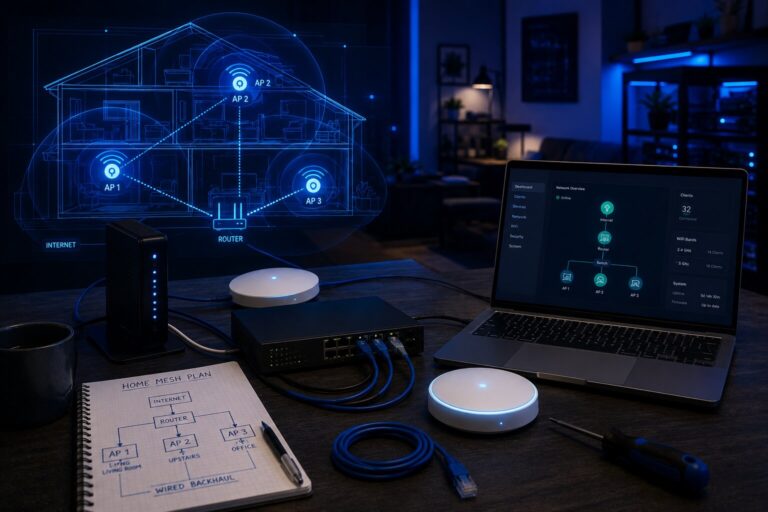
A larger property, advanced smart-home setup or serious home-office environment may benefit from a more customised network using access points, Ethernet cabling and carefully planned backhaul.
In that case, building your own wireless mesh network at home may offer more control and long-term flexibility.
Powerline can still play a supporting role, but it should not always be the centre of the network design.
Common Powerline Problems
The most common powerline complaints include:
- unstable speeds
- poor performance across circuits
- adapters disconnecting
- interference from appliances
- disappointing gaming latency
- weak built-in WiFi
- difficulty pairing units
- overheating
Some of these issues can be fixed by changing sockets, updating firmware or removing extension leads. Others are caused by the property’s wiring and may not be fixable without choosing a different networking approach.
Are They Still Worth Buying?
Powerline adapters are still worth buying in the right circumstances.
They are most worth considering when:
- WiFi is weak in one room
- Ethernet cabling is impractical
- a fixed device needs more stability
- gaming over WiFi is unreliable
- a smart TV needs a better connection
- the property wiring is likely to support them well
They are less useful when:
- several rooms need wireless coverage
- mobile devices are the priority
- the electrical wiring is poor
- direct Ethernet is available
- a modern mesh system would solve the problem more cleanly
The best way to assess them is to buy from somewhere with a fair returns policy and test them in the actual sockets you plan to use.
Future Home Networks May Need Both
As homes become more connected, networking choices are likely to become more layered. One product may not solve every problem.
A household might use:
- fibre broadband
- a mesh WiFi system
- Ethernet for key rooms
- powerline for awkward fixed devices
- separate networks for guests or smart-home equipment
This will become even more relevant as AI-powered smart devices become part of everyday home infrastructure and demand more reliable connectivity.
So, Are Powerline Adapters Any Good?
Yes, powerline adapters can be good. They can be an excellent practical solution for fixed devices where WiFi is weak and Ethernet cabling is not realistic.
But they are not universally good. Their performance depends heavily on your home’s electrical wiring, socket placement and interference levels.
For one room, one console, one PC or one smart TV, they may be exactly what you need. For whole-home wireless coverage, a mesh system is usually the better answer.
The most sensible approach is to understand the problem first, then choose the technology that solves it with the fewest compromises.
If you have hands-on experience with home networking, consumer technology or connected-home infrastructure, Dykes Do Digital welcomes practical contributions through our Write For Us page.