Powerline Adapters: How Do They Work?
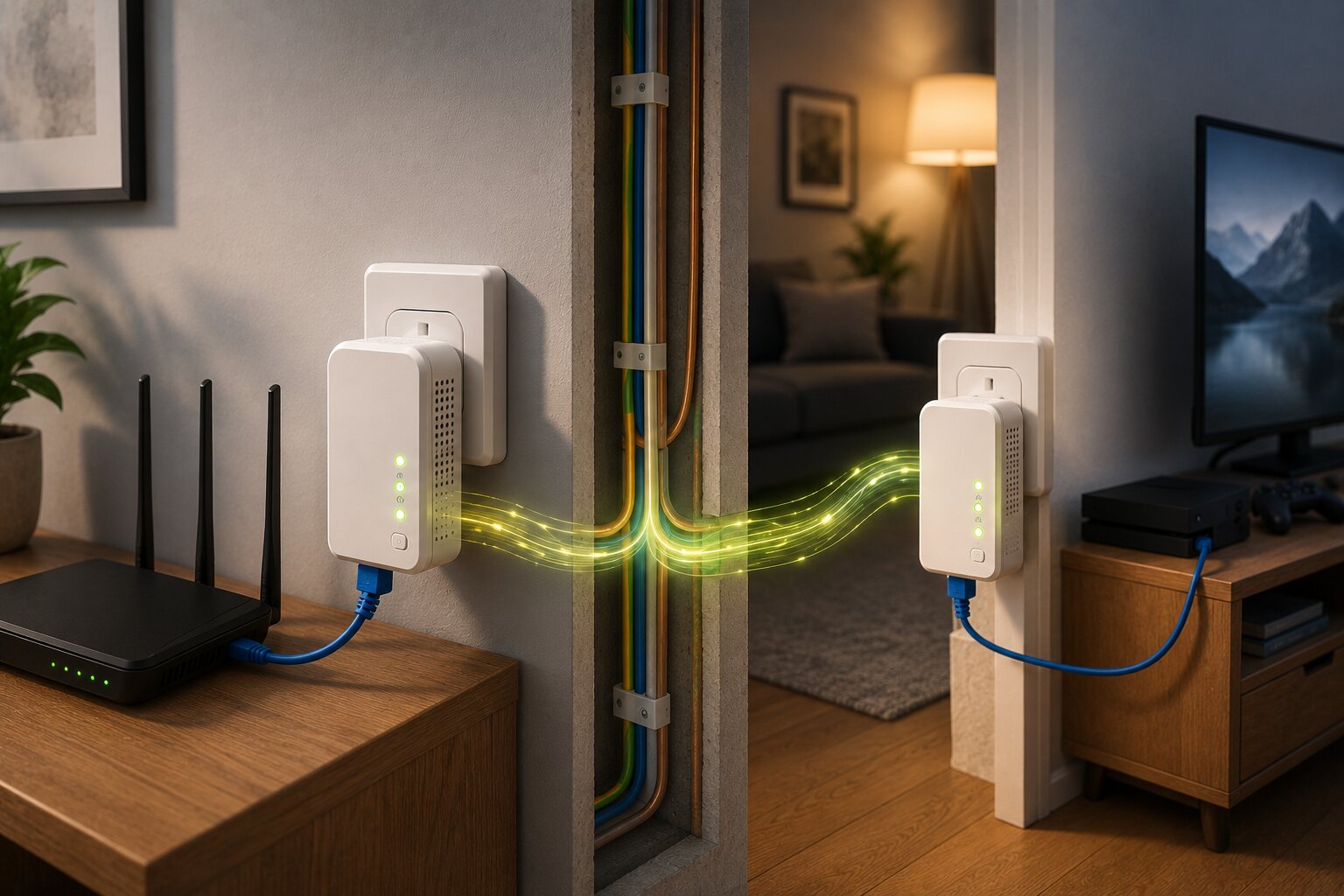
Powerline adapters are one of the more unusual networking solutions available for home internet setups. Instead of sending network traffic through WiFi or dedicated Ethernet cabling, they use the electrical wiring already inside the property.
For some homes, they can solve frustrating connectivity problems surprisingly well. For others, performance can be inconsistent or disappointing. That variation is what makes powerline networking both useful and sometimes misunderstood.
Understanding how powerline adapters actually work helps explain where they perform well, where they struggle and why they remain popular for certain networking situations despite the rise of wireless mesh systems.
What A Powerline Adapter Does
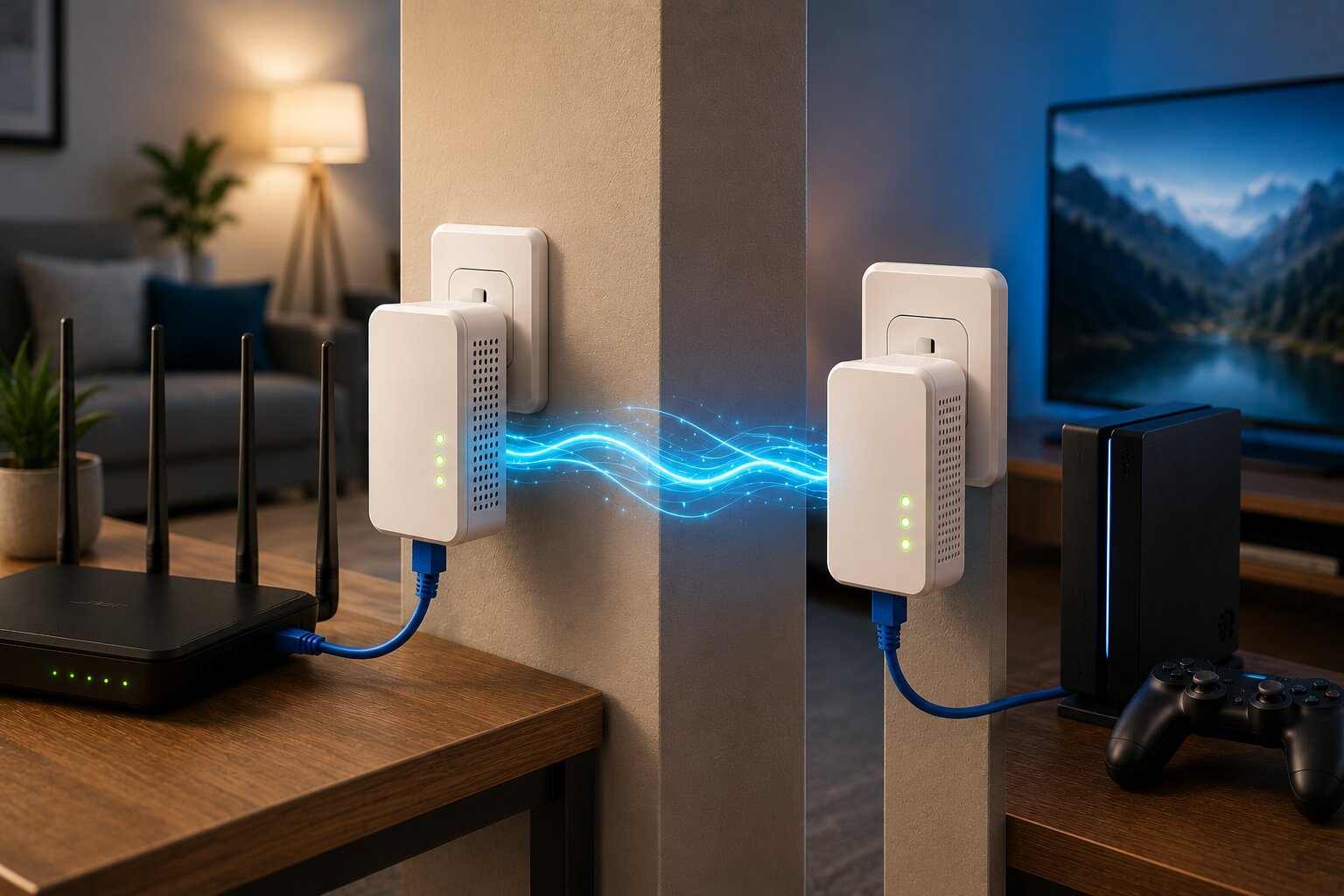
A powerline adapter allows network data to travel through household electrical wiring.
A basic setup normally uses two adapters:
- one connected to the router
- another connected elsewhere in the property
The first adapter plugs into a wall socket near the broadband router and connects using an Ethernet cable. The second plugs into another wall socket elsewhere in the home and provides network access either through Ethernet, WiFi or both.
The electrical wiring effectively becomes part of the network path.
This can be useful in situations where:
- WiFi coverage is weak
- Ethernet cabling is impractical
- one room needs a more stable connection
- thick walls block wireless signals
- gaming or streaming performance suffers
This is one reason many people compare wireless mesh systems versus powerline adapters when trying to improve home networking.
Powerline Is Not The Same As Ethernet
Although powerline adapters can feel similar to Ethernet in practice, they are not equivalent to dedicated network cabling.
Ethernet cables are designed specifically for data transfer. Household electrical wiring is not.
That means powerline performance depends heavily on:
- wiring quality
- wiring age
- electrical interference
- fuse box layout
- circuit design
- distance between adapters
In some homes, powerline performs extremely well. In others, speeds and reliability can vary dramatically.
This unpredictability is one of the reasons networking professionals often view powerline as situational rather than universal.
How Data Travels Through Electrical Wiring
Powerline adapters use high-frequency signals layered on top of the normal electrical current running through the home.
Electricity in the UK operates at relatively low frequency compared with the much higher frequencies used for networking data. Powerline adapters exploit this difference by transmitting data signals alongside the electrical supply without interfering with normal power delivery.
The adapters convert network traffic into electrical signals, send them through the wiring and then convert them back into Ethernet or WiFi at the other end.
From the user’s perspective, the process is largely invisible.
Why Performance Varies So Much
Two homes with identical adapters can produce completely different results.
That is because household wiring differs enormously between properties.
Factors affecting performance include:
- age of the wiring
- quality of installation
- number of circuits
- fuse box design
- electrical noise
- appliances in use
- extension leads
- surge protectors
- distance between sockets
Older homes sometimes perform surprisingly well. Newer homes sometimes perform poorly. There is no guaranteed outcome without testing.
This is very different from how to set up WiFi mesh systems, where coverage behaviour is usually more predictable.
Direct Wall Sockets Matter
One of the most important installation rules is to plug powerline adapters directly into wall sockets wherever possible.
Extension leads, surge protectors and multi-plug adapters can reduce performance because they introduce electrical noise or interfere with the signal.
For best results:
- use direct wall sockets
- avoid surge-protected strips
- keep adapters ventilated
- avoid heavily loaded electrical extensions
- test multiple socket locations
Small changes in placement can noticeably affect performance.
Powerline Adapters With WiFi
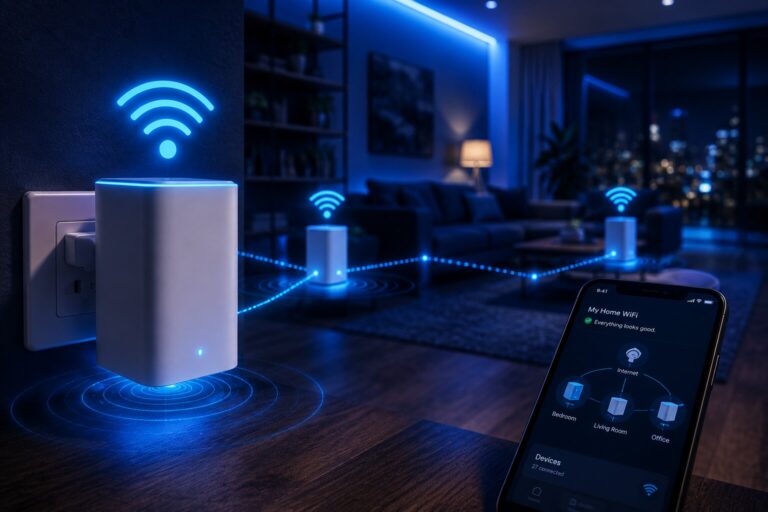
Some powerline adapters include built-in wireless access points. These devices receive data through the electrical wiring and then broadcast WiFi into the surrounding area.
This can help improve coverage in rooms where the main router signal struggles.
However, this is not the same as a true mesh network. Many powerline WiFi adapters create a separate wireless access point rather than a seamless roaming system.
That is why users wanting broader whole-home coverage may eventually explore key wireless mesh systems compared rather than relying entirely on powerline WiFi.
Where Powerline Works Best
Powerline adapters tend to work best in situations where:
- one fixed device needs connectivity
- WiFi struggles through walls
- Ethernet cabling is difficult
- the electrical wiring is reasonably modern and stable
- gaming devices need lower latency
- home-office equipment needs consistency
Common use cases include:
- desktop PCs
- smart TVs
- streaming boxes
- games consoles
- upstairs workspaces
- garden-room networking
They are especially useful where the alternative would involve very weak long-range WiFi.
Gaming And Powerline Performance
Gaming is one of the main reasons people buy powerline adapters. A stable connection often matters more than extremely high speed.
Compared with weak WiFi, powerline can sometimes provide:
- lower latency
- more consistent ping
- fewer dropouts
- better upload stability
However, results are not guaranteed. Electrical interference can still create instability, especially in busy households with many appliances running simultaneously.
For players with fixed-position consoles or PCs, gaming networking solutions using powerline adapters can sometimes outperform poor wireless connections, especially in structurally difficult homes.
Streaming And Video Calls
Powerline adapters can also help with streaming and remote work.
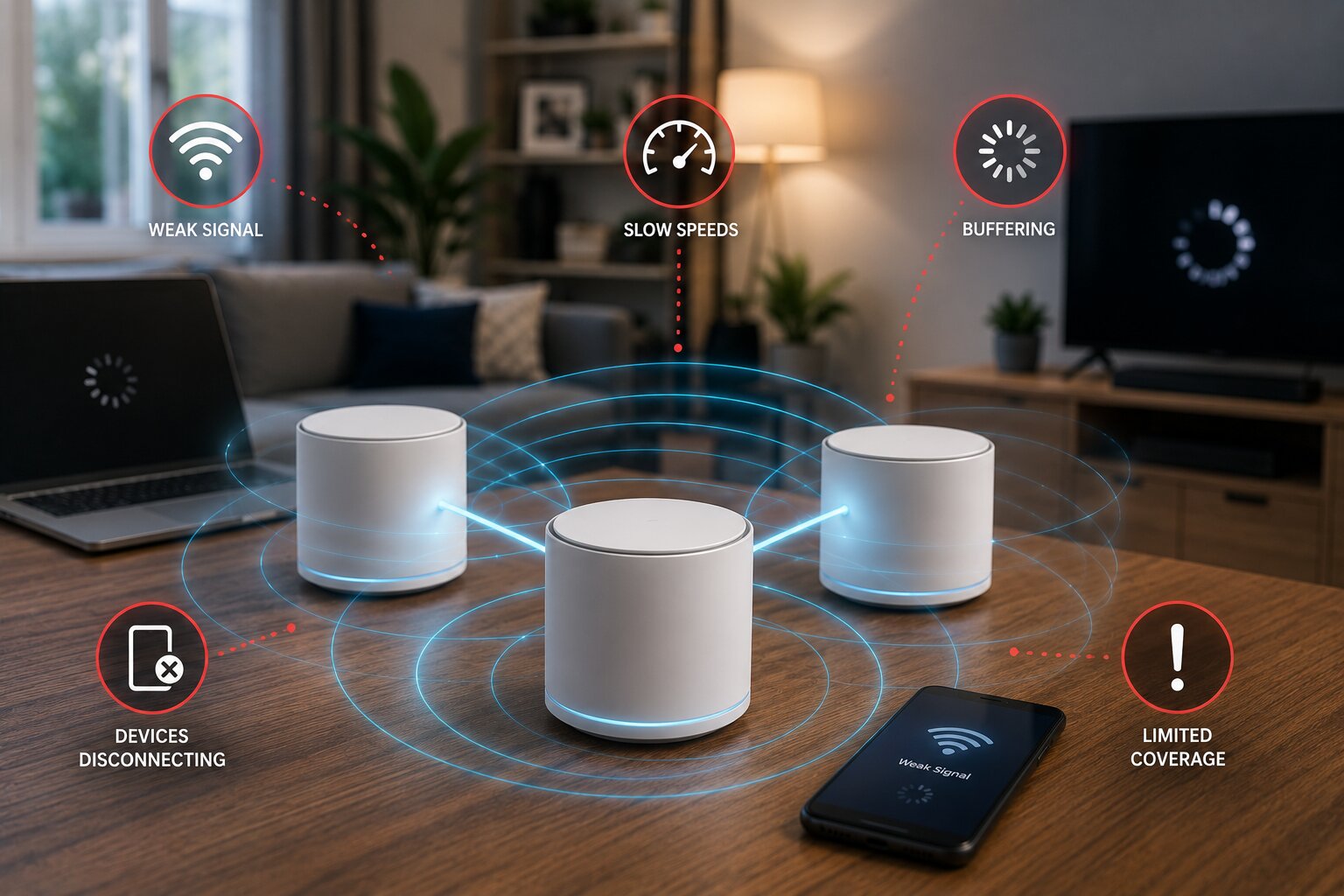
A weak WiFi signal may cause:
- buffering
- unstable video calls
- dropped meetings
- poor upload performance
- inconsistent smart-TV streaming
A stable powerline connection may improve reliability even if the raw speed is not dramatically higher.
This matters increasingly as households depend on cloud services, streaming platforms and remote-working tools throughout the day.
Mesh And Powerline Can Work Together
Mesh and powerline are often presented as competing technologies, but they can complement each other extremely well.
For example:
- mesh handles whole-home wireless coverage
- powerline supports fixed gaming or office devices
- powerline provides backhaul to distant mesh nodes
- mesh improves roaming for mobile devices
- Ethernet-connected powerline nodes stabilise difficult areas
In some homes, a hybrid setup works better than relying on either technology alone.
This becomes more relevant in larger properties or connected households where improving home WiFi reliability involves several overlapping networking challenges rather than one simple dead zone.
Smart Homes Increase Network Pressure
Connected devices place growing pressure on household networks.
Modern homes may include:
- cameras
- smart speakers
- voice assistants
- thermostats
- smart lighting
- appliances
- streaming devices
- sensors
Many of these devices do not need huge bandwidth, but they do require stable connectivity.
Powerline may help fixed-position smart devices, while mesh usually handles broader wireless coverage more effectively.
This shift toward connected living supports wider discussions around what defines a smart home device in 2026, where network reliability increasingly becomes part of the overall smart-home experience.
Powerline Speeds Can Be Misleading
Manufacturers often advertise very high theoretical speeds. Real-world performance is usually much lower.
Advertised speeds represent ideal laboratory conditions rather than realistic household environments.
Actual results depend on:
- wiring quality
- interference
- distance
- electrical load
- hardware quality
- environmental factors
That does not mean powerline is ineffective. It simply means buyers should focus more on stability and real-world usability than on headline numbers.
Security Considerations
Modern powerline adapters usually support encryption between paired units. This helps prevent neighbouring properties from accessing the network signal through shared electrical infrastructure.
Users should still:
- update firmware where possible
- pair adapters securely
- use strong router passwords
- maintain modern WiFi security standards
- avoid outdated networking hardware
Networking security matters more as homes rely on increasingly connected hardware.
That trend is likely to continue with the next generation of AI-powered smart devices, which will place even more importance on reliable and secure home networking.
Common Powerline Problems
The most common powerline issues include:
- unstable speeds
- adapters failing to pair
- poor performance across separate circuits
- interference from appliances
- overheating
- weak WiFi from integrated access points
- inconsistent latency
Microwaves, vacuum cleaners, hairdryers and large appliances can all introduce electrical noise that affects performance.
Some homes simply have wiring layouts that do not suit powerline networking particularly well.
When Mesh Is Better
Wireless mesh is usually the stronger choice when:
- several rooms need WiFi
- devices move around the home
- seamless wireless roaming matters
- smart-home devices are widespread
- coverage consistency is important
Mesh is particularly effective for mobile devices such as:
- phones
- tablets
- laptops
- portable smart-home hardware
This is why many users researching powerline eventually revisit building a wireless mesh network at home once they understand the limitations of electrical-network-based solutions.
When Powerline Is Better
Powerline often works better when:
- one room needs a stable connection
- gaming latency matters
- a desktop PC needs reliability
- Ethernet cable installation is impractical
- WiFi cannot penetrate structural barriers effectively
It is not always glamorous technology, but in the right property it can quietly solve extremely frustrating networking problems.
Testing Is The Only Real Answer
Because powerline performance depends so heavily on the property itself, no review or specification sheet can fully predict results in your home.
The only reliable approach is to test the adapters in the actual environment where they will be used.
If performance is strong, powerline can be an excellent practical networking solution. If performance is inconsistent, mesh or Ethernet may ultimately be the better long-term choice.
For readers with expertise in networking, smart-home infrastructure or consumer technology, Dykes Do Digital welcomes industry insight and practical contributions through our Write For Us page.