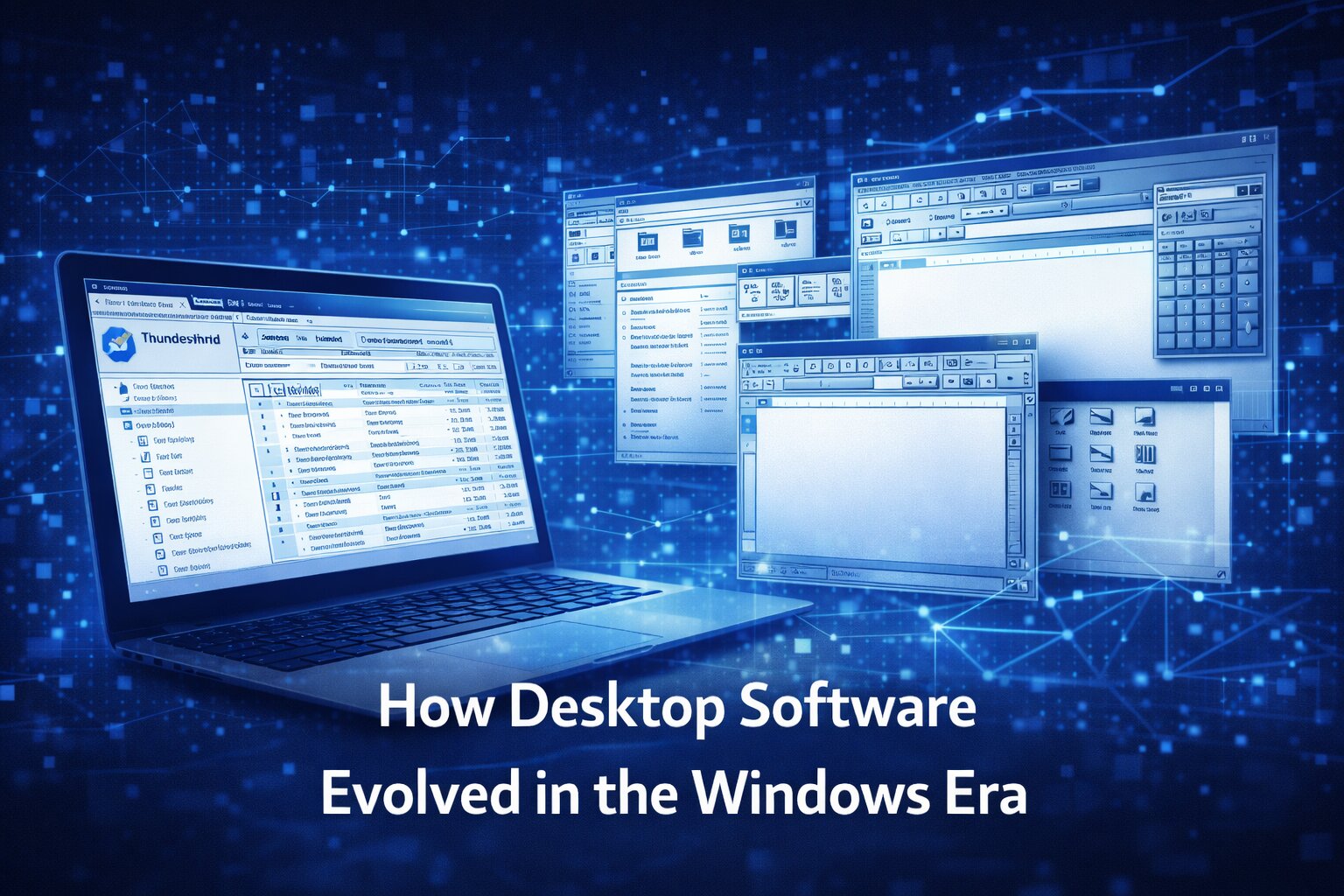
How Desktop Software Evolved in the Windows Era
The history of software is often told through major breakthroughs: the rise of the internet, the smartphone revolution, the emergence of cloud computing, or the current acceleration of artificial intelligence. Yet one of the most important chapters in digital history sits in a quieter place, embedded in the everyday experience of desktop software during the Windows era. Long before software became synonymous with apps, subscriptions, and browser-based tools, desktop programs defined how millions of people worked, communicated, organised information, and understood computing itself.
This period mattered not simply because of market dominance or technical scale, but because it shaped the design assumptions that still influence software today. Menus, folders, windows, dialogue boxes, inboxes, preferences, toolbars, local file systems, drag-and-drop interactions, and installation logic all became deeply familiar through desktop environments. Software in the Windows era was where many users first encountered digital productivity in a structured and repeatable way.
Looking back at that period is not an exercise in nostalgia. It is a way of understanding how modern software inherited many of its strengths, frustrations, and design habits from a desktop ecosystem that helped define personal computing for decades.
The desktop as a model of digital life
For a long stretch of computing history, the desktop was not just one interface among many. It was the interface. For millions of users, computing meant sitting in front of a screen, launching installed programs, navigating folders, saving files locally, and learning the logic of windows layered across a fixed workspace. This environment created a powerful mental model for how software should behave.
The desktop metaphor mattered because it made digital systems legible. Documents could be opened, arranged, saved, duplicated, and moved. Programs had visible boundaries. Actions were grounded in windows, buttons, menus, and familiar organisational structures. For users entering the digital world, this was not just convenient. It was foundational. It taught them how to think computationally without requiring technical language.
Windows played an outsized role in making this model widespread. Its reach across home and office computing meant that a huge proportion of software expectations were formed within a Windows-shaped environment. Whether through email clients, word processors, media players, browsers, productivity suites, or utilities, users learned software through repeated interaction with a recognisable visual and structural framework.
That framework still echoes today, even where the devices and platforms have changed.
Installed software and the era of ownership
One of the most defining characteristics of desktop software in the Windows era was that software was something users installed, possessed, and maintained. It lived on the machine. It occupied storage. It required updates, patches, licences, and sometimes physical discs or downloaded installers. The relationship between user and software felt more direct and material than in today’s cloud-driven environment.
This shaped expectations in important ways. Users understood software as a product with boundaries. It could be upgraded, reinstalled, configured, customised, and sometimes broken. That created a stronger awareness of versioning, local control, and system dependency. A program was not simply an interface delivered through a browser; it was part of the machine’s environment.
This sense of ownership influenced behaviour. Users kept libraries of applications, compared versions, backed up files, managed settings, and developed loyalties to particular tools. In many cases, people knew the specific programs they depended on in a much deeper way than modern users know many of the services they access casually through the web.
Although the industry has shifted heavily toward subscription models and cloud access, some of the language and assumptions of modern software still come from that earlier relationship. The idea that software should be dependable, configurable, and stable across repeated use was reinforced by an era in which applications were not ephemeral services but durable parts of a working system.
Email clients and the architecture of communication
Few categories reveal the logic of desktop software more clearly than email clients. Programs such as Thunderbird, Outlook, and earlier desktop mail systems were not just communication tools. They were structured environments for managing information, identity, workflow, and time.
An email client taught users to think in terms of inboxes, sent folders, drafts, archives, attachments, local storage, account settings, signatures, filters, and rules. It introduced a layered model of communication in which messages could be sorted, tagged, moved, searched, and retained. This was not passive consumption. It was active information management.
Desktop email also emphasised persistence. Messages were part of an organised environment rather than a fleeting feed. Users built habits around retention, categorisation, and retrieval. Many of the productivity norms associated with modern digital work were reinforced here, from structured correspondence to attachment workflows.
Thunderbird is an especially interesting case because it reflected a phase in software development where open ecosystems, user customisation, and desktop productivity still had major cultural energy. It offered users control, extensibility, and a more self-contained relationship with communication. That now feels quite different from today’s heavily centralised, browser-mediated software systems.
The significance of these programs lies not just in their technical function, but in how they taught people to manage digital life through stable interface patterns.
Menus, toolbars, and visible functionality
Modern software often tries to hide complexity behind simplified interfaces, minimal screens, and contextual actions. By contrast, desktop software in the Windows era was usually more explicit. Menus exposed options. Toolbars revealed actions. Dialogue boxes surfaced system logic. Users were often expected to learn where features lived and how settings interacted.
This could certainly create friction. Many programs were cluttered, intimidating, or too dependent on obscure terminology. Yet there was also a benefit to visible functionality. Software felt discoverable in a particular way. Users could explore menus, inspect preferences, and develop a mental map of capability over time.
That experience shaped how many people learned software literacy. They became comfortable with the idea that applications could be powerful, layered, and worthy of exploration. The interface did not always assume passivity. It often rewarded curiosity.
Many contemporary software products now aim for clarity through reduction, which has its own strengths. But something was also lost when visible function became less common. Power users still value environments where capabilities are legible, settings are accessible, and systems can be shaped with intention. The Windows desktop era created many of those expectations.
File systems and the logic of structure
Another essential contribution of the Windows era was the centrality of the file system. Desktop software taught users not only how to use applications, but how to think about information as a set of files organised in folders and locations. This mattered enormously.
A file system made computing spatial and structured. Users learned that documents lived somewhere, that locations mattered, and that organisation could be imposed through naming, hierarchy, and storage choices. Software interacted with this structure constantly. Open, save, save as, import, export, move, copy, and delete were routine actions, and they built a practical understanding of digital architecture.
This model still underlies a great deal of contemporary software, even where it is less visible. Cloud storage, content management systems, collaborative workspaces, and even photo apps often depend on inherited ideas about folders, files, versions, and retrieval. The difference is that many of these layers are now abstracted.
The Windows era helped make file-based logic intuitive for everyday users. That familiarity shaped how software could evolve later. Even when products moved away from explicit file management, they were often building on habits formed in that earlier environment.
The balance between control and complexity
Desktop software in the Windows era often lived at a difficult but important intersection: it gave users substantial control, but also demanded tolerance for complexity. Programs could be customised, configured, and extended, yet this often came at the cost of usability challenges. Users had to understand settings, navigate compatibility issues, and occasionally troubleshoot system behaviour.
This balance had a lasting effect on software culture. It helped define what power and frustration looked like in digital tools. Some users valued the ability to shape software around their needs. Others experienced the ecosystem as brittle, inconsistent, or overly technical. Both responses were valid, and both continue to shape contemporary debates about software design.
Today’s platforms often resolve this tension by reducing control in exchange for simplicity. Software is more centralised, updated automatically, and delivered within narrower boundaries. For many users, that is an improvement. But the older model still influences expectations around configurability, custom workflows, offline access, and system-level interoperability.
In other words, the Windows era did not simply produce outdated habits. It created a lasting conversation about how much control users should have over their tools.
Productivity as a software identity
Desktop software also played a major role in defining productivity as a core software identity. Word processors, spreadsheets, presentation tools, calendar programs, email clients, note-taking applications, and project utilities all contributed to an idea of the computer as a work environment. This seems obvious now, but it was learned behaviour.
The desktop was where the modern office was translated into software. Documents replaced paper files. Email restructured communication. Scheduling tools changed time management. Spreadsheets transformed analysis and planning. Presentation software reshaped how information was communicated internally and externally. Over time, these tools became not just useful, but normal.
Windows was central to this because it became deeply associated with professional computing. To use a computer at work often meant using Windows-based software, navigating its conventions, and participating in an ecosystem of programs designed around office tasks.
This legacy still matters because much of today’s enterprise software is an evolution of those earlier productivity assumptions. Even cloud-native platforms continue to inherit concepts first normalised in desktop environments: dashboards, document collaboration, task lists, messaging structures, and multi-window logic all reflect deeper historical layers. You can find out more about changes over the years within our article on the great computing experts that have had such a huge influence.
Software ecosystems before the modern platform economy
It is easy to think of ecosystems as a modern platform phenomenon associated with app stores, subscriptions, cloud suites, and integrated services. But the Windows era already had its own form of software ecosystem logic. Programs interacted with file types, plug-ins, device drivers, email protocols, browser standards, and office document formats. Compatibility mattered. Default apps mattered. Extensions mattered. So did vendor loyalty and bundled experiences.
What was different was the degree of openness and fragmentation. The ecosystem was broad, but also uneven. Users often mixed tools from different vendors and dealt with inconsistency as a result. This made software environments sometimes messy, but also more pluralistic. There was room for specialist tools, niche products, and independent utilities alongside dominant suites.
That environment helped shape how users thought about interoperability. They expected programs to connect imperfectly but meaningfully. Files could move between systems. Attachments could be downloaded and reopened elsewhere. Formats had consequences. These habits prepared users for later software ecosystems, even as those ecosystems became more consolidated.
The Windows era therefore sits as an important bridge between isolated software products and today’s more integrated platform environments.
The emotional memory of desktop software
One reason people still remember desktop software so vividly is that these programs became entangled with life transitions, work habits, and everyday routine. They were not abstract technologies. They were the tools through which people wrote essays, sent job applications, managed family photos, organised music, tracked finances, communicated with friends, and learned digital confidence.
This emotional layer matters because it shaped the cultural position of software. Applications were not just utilities; they became part of a user’s sense of competence and continuity. Familiar programs provided reassurance. Changes to interface or operating logic could feel deeply disruptive because they touched routines people had built over years.
That emotional relationship still influences software design today. Users resist unnecessary interface changes, value continuity, and often judge software not only by capability but by trust. Desktop software in the Windows era taught companies that familiarity is itself a design asset.
For Dykes Do Digital, this is an important reminder that software history is also user history. The meaning of an application cannot be fully understood only through technical specification. It also lives in patterns of use, memory, and expectation.
What changed as software moved beyond the desktop
As browsers, cloud platforms, smartphones, and SaaS products reshaped software, the desktop era did not disappear overnight. Instead, many of its assumptions were gradually reworked. Programs became services. Local storage became synchronised storage. Installed updates became background updates. Complex menu systems became cleaner interfaces. Single-machine logic gave way to account-based continuity across devices.
Some of these shifts solved genuine problems. Cloud software reduced friction, improved collaboration, and made access more flexible. Mobile ecosystems widened computing beyond desks and offices. Subscription models supported continuous development. Simpler interfaces lowered barriers for many users.
Yet the transition also involved trade-offs. Users often lost some visibility into how their tools worked. Local control became less central. Offline reliability could weaken. Customisation became narrower. Software became easier in some ways but more opaque in others.
This is why the Windows desktop era still matters. It provides a point of contrast that helps explain what contemporary software gained and what it left behind.
Why this history still matters now
Understanding how desktop software evolved in the Windows era is useful because current software debates often repeat older tensions in new forms. Questions about control versus simplicity, local versus cloud, configurability versus standardisation, visibility versus abstraction, and openness versus ecosystem lock-in all have roots in earlier software history.
When people talk today about productivity tools, digital workflows, software design, or platform dependency, they are often responding to habits formed years ago. The desktop era created deep behavioural expectations about reliability, file structure, communication systems, and application logic. Even users who no longer rely on traditional desktop software often carry those assumptions with them.
For younger software companies, this history can also be instructive. It shows that design patterns become powerful not merely through novelty, but through repeated usefulness. Many of the best ideas from the desktop era endured because they solved real problems clearly and consistently.
That is why this period deserves more than nostalgic remembrance. It deserves analysis as a foundational stage in the cultural and practical development of software.
A defining chapter in software design
Desktop software in the Windows era helped shape how people thought about computers, work, communication, files, and digital organisation. Through installed programs, structured interfaces, visible functionality, email clients, file systems, and productivity tools, it created a model of computing that influenced software far beyond its own period.
Its importance lies not only in the programs themselves, but in the habits they formed. Users learned to navigate digital environments through windows, folders, inboxes, menus, preferences, and synchronised workflows. These patterns became part of mainstream software literacy.
Modern software may look cleaner, more mobile, and more cloud-driven, but much of its conceptual DNA still traces back to that earlier era. The Windows desktop period was not simply a stage that software outgrew. It was one of the environments in which software became what users now expect it to be.
For that reason, the history of desktop software is not peripheral to the story of modern computing. It is central to it.
Are you an expert in the history of computing? We don’t claim to have all the answers, so we’d be interested in hearing from you. If you’d like to contribute a guest post on technology, then get in touch to find out about the latest opportunities.